
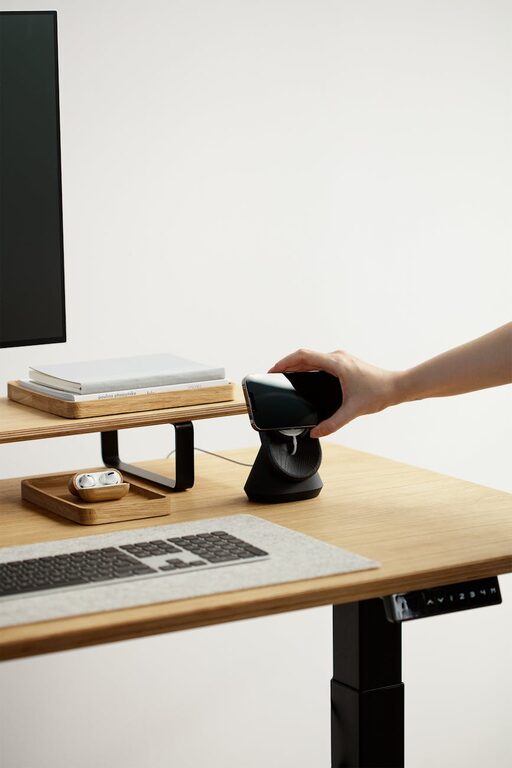
Creating a cozy and functional home workspace is essential for anyone working remotely or needing a comfortable spot to focus on tasks. A well-designed workspace not only boosts productivity but also supports your well-being by reducing stress and promoting good posture. Whether you have a dedicated room or a small corner, these tips will help you transform your space into an inviting and efficient work area.
Choose the Right Location
Prioritize Natural Light
Natural light can significantly improve your mood and energy levels. If possible, set up your workspace near a window to take advantage of daylight. Position your desk so that sunlight doesn’t create glare on your computer screen. Using sheer curtains can help diffuse the light for better comfort.
Minimize Distractions
Pick a spot away from high-traffic areas of your home. If total separation isn’t possible, consider using room dividers or noise-canceling headphones to block out distractions. A quiet, dedicated area helps maintain focus and signals that you are in “work mode.”
Invest in Comfortable Furniture
Ergonomic Chair
A quality ergonomic chair supports your back, promotes good posture, and reduces discomfort during long working hours. Choose an adjustable chair with lumbar support and armrests to customize it to your body’s needs.
Functional Desk
Select a desk that fits your space and provides enough surface area for your computer, paperwork, and accessories. If space is limited, consider a wall-mounted or folding desk. Standing desks or adjustable-height tables offer flexibility to alternate between sitting and standing.
Organize with Efficiency in Mind
Declutter Regularly
Keep your workspace tidy by managing the clutter. A clean area reduces stress and helps you focus. Use storage boxes, shelves, or filing cabinets to organize documents, office supplies, and electronics out of sight.
Use Cable Management
Messy cables can add unnecessary visual noise. Use clips, sleeves, or under-desk trays to keep wires organized and safely tucked away. This simple step will make your space look neat and prevent tripping hazards.
Personalize Your Environment
Add Cozy Elements
Incorporate soft textures like cushions, throws, or a small rug to make the space inviting. Plants are a great addition too, as they improve air quality and bring a touch of nature indoors.
Include Inspiring Decor
Personal items such as artwork, motivational quotes, or photos can create a positive atmosphere. Select pieces that inspire you without overwhelming the space or causing visual distraction.
Optimize Lighting
Combine Ambient and Task Lighting
Good lighting is key to reducing eye strain. Use a mix of ambient lighting (ceiling fixtures or lamps) and task lighting such as desk lamps. Adjustable lamps allow you to direct light where most needed.
Avoid Harsh Fluorescent Lights
Opt for softer, warmer light bulbs when possible. Harsh lighting can cause headaches and fatigue, while warm tones foster a relaxed and pleasant working environment.
Establish Boundaries and Routines
Define Work Hours
Set clear working hours to separate professional time from personal life. Communicate your schedule to family or housemates to minimize interruptions.
Create “Start” and “End” Rituals
Simple routines like organizing your desk in the morning or shutting down your computer at the end of the day help signal the beginning and end of work, improving focus and work-life balance.
Use Technology to Your Advantage
Invest in Quality Equipment
Reliable technology—such as a good computer, headset, and stable internet connection—makes working from home smoother. Consider a second monitor to increase screen space and efficiency.
Utilize Productivity Tools
Apps for task management, calendar scheduling, and note-taking can help keep your workflow organized and stress-free.
—
Creating a cozy and functional home workspace is all about balancing comfort and practicality. By thoughtfully choosing your location, investing in ergonomic furniture, staying organized, and adding personal touches, you can craft a space where productivity and well-being go hand in hand. Remember, your workspace should support your unique needs, so feel free to adjust these tips to fit your lifestyle and preferences. Happy working!