
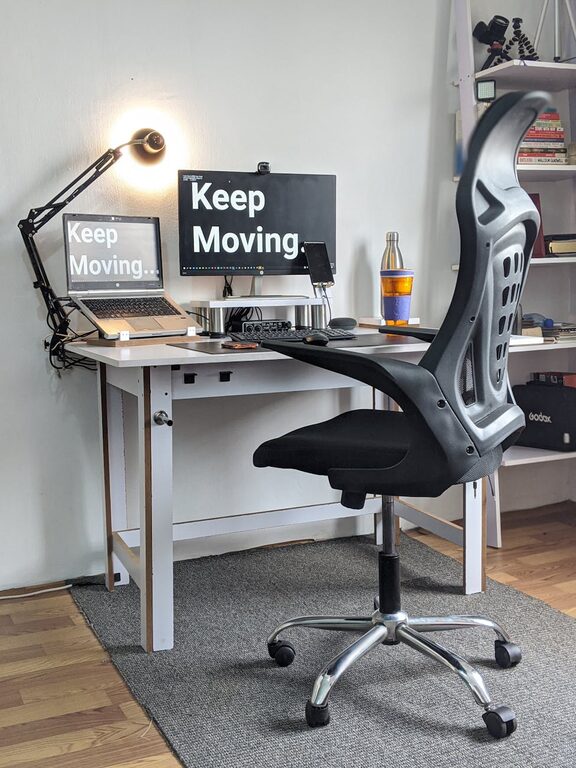
Creating an efficient and comfortable home office is essential for maintaining focus and productivity, especially as more people work remotely. A well-organized workspace reduces distractions, saves time, and fosters a welcoming atmosphere that supports your workflow. Whether you’re setting up a new office or reorganizing your current space, these tips will help you boost both productivity and comfort.
Choose the Right Location
Finding a dedicated space for your home office is the first step toward effective organization. Consider these factors:
– Quiet Environment: Select a spot away from household noise and foot traffic.
– Natural Light: Position your desk near a window to benefit from natural light, which can improve mood and energy.
– Space Availability: Ensure there is enough room for your desk, storage, and any additional equipment.
If space is limited, a corner or a nook in a room can also work well with proper organization.
Design a Functional Layout
A well-planned layout can make your daily tasks easier and more comfortable.
– Desk Placement: Face your desk toward a window or a wall free from distractions.
– Ergonomic Setup: Use an adjustable chair and desk so you can maintain healthy posture.
– Accessibility: Keep frequently used items within arm’s reach to minimize interruptions.
Clear pathways and a tidy floor area help you move freely and keep the space inviting.
Declutter Regularly
Clutter can quickly lead to stress and inefficiency. Make decluttering a routine habit:
– Daily Tidying: At the end of each day, clear your workspace of papers, dishes, and miscellaneous items.
– Sort Papers Immediately: Use filing systems, trays, or folders to organize documents.
– Limit Personal Items: A few personal touches are fine, but avoid overcrowding your desk with too many decorations.
Regular decluttering improves focus and creates a more pleasant workspace.
Utilize Storage Solutions
Effective storage reduces mess and enhances efficiency.
Desk Organizers
Use trays, cups, or small drawers on your desk to store pens, notepads, and other supplies.
Shelving Units
Install shelves to keep books, binders, and equipment within sight but off your desk.
Filing Cabinets and Boxes
Keep important documents and paperwork organized and safe in labeled files or boxes.
When choosing storage, opt for items that match your room and are easy to maintain.
Set Up Technology Thoughtfully
Your technology setup plays a big role in how smoothly your workday goes.
– Cable Management: Use clips, sleeves, or boxes to keep cords organized and out of sight.
– Monitor Positioning: Place your monitor at eye level to reduce neck strain.
– Lighting: Use adjustable desk lamps or LED lights with settings that reduce eye strain.
Having a clutter-free tech area helps you stay focused and avoids unnecessary frustrations.
Prioritize Comfort Features
Comfort helps you work longer and better without fatigue.
– Chair Support: Invest in an ergonomic chair with lumbar support.
– Adjustable Desk: Consider a sit-stand desk for flexibility.
– Climate Control: Ensure your workspace is well-ventilated and at a comfortable temperature.
– Greenery: Adding a few plants can improve air quality and create a calming atmosphere.
Comfortable surroundings encourage consistent productivity.
Create Zones for Different Tasks
Dividing your office space by task can keep you organized and mentally prepared.
– Work Zone: Your main desk area for focused computer work.
– Reference Zone: Shelves or a corner for books, notes, or materials you consult often.
– Creative Zone: Space for brainstorming or sketching ideas.
This zoning approach helps you switch between tasks smoothly and keep all your needs met.
Develop Organizational Habits
Good habits support a clean and efficient office.
– Plan Your Day: Start with a to-do list to stay organized.
– File Immediately: Don’t let paperwork pile up.
– Review Weekly: Spend time at the end of the week to reorganize and prepare.
Consistent habits will keep your space productive in the long term.
Conclusion
Organizing your home office doesn’t have to be overwhelming. By selecting the right location, designing a functional layout, decluttering regularly, and setting up proper storage and technology, you can create a space that enhances productivity and comfort. Remember to prioritize ergonomics and comfort, develop good habits, and personalize your space just enough to feel motivated without distraction. A well-ordered home office can make working from home both enjoyable and efficient.